
Sleep sound recorder for iPhone
Hear what happens while you sleep
Record your night on your iPhone. Wake up to your snoring, sleep talking and breathing sounds, ready to play, next to your Apple Health sleep.
Free to record every night. iPhone, iOS 17.6 or later.
Snorezy listens for
SnoringSleep talkingBreathingCoughingNoisesHow it works
One tap at night. One minute in the morning.
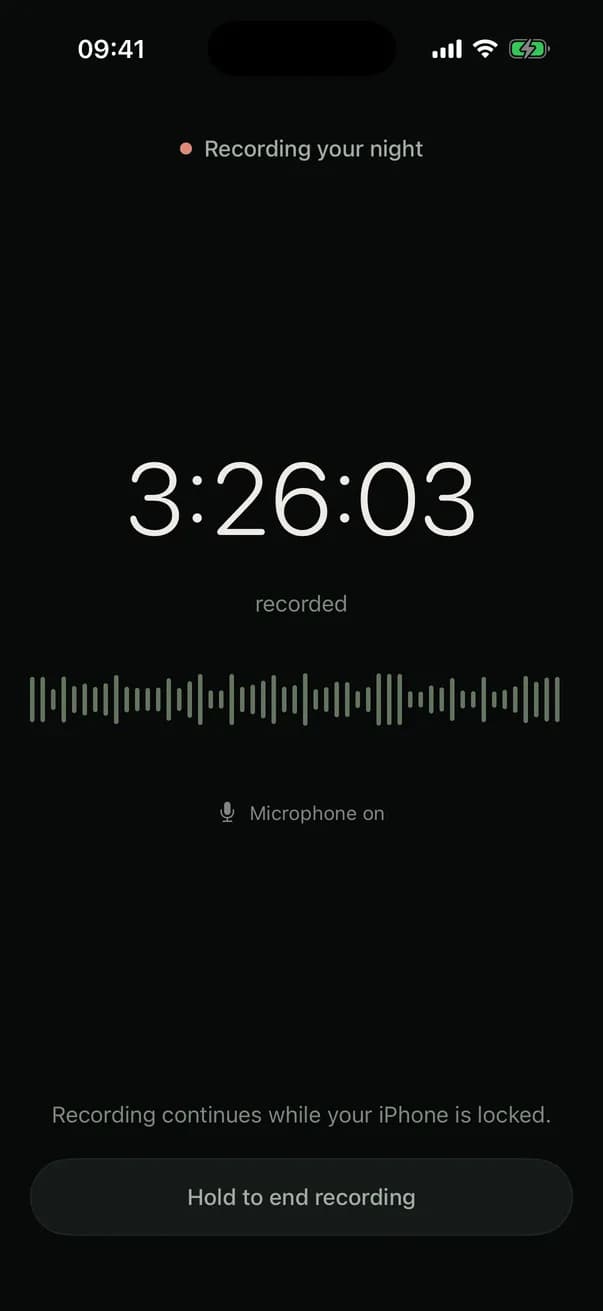
Record tonight
Put your iPhone beside the bed and tap Record. It keeps going while the phone is locked.
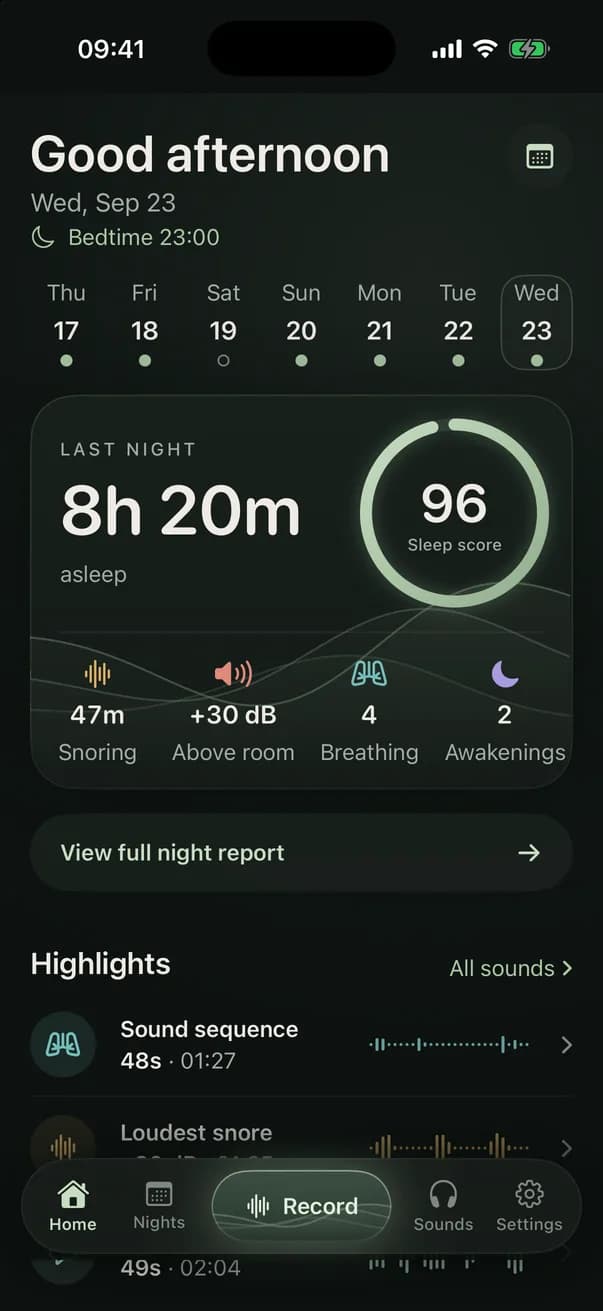
Listen in the morning
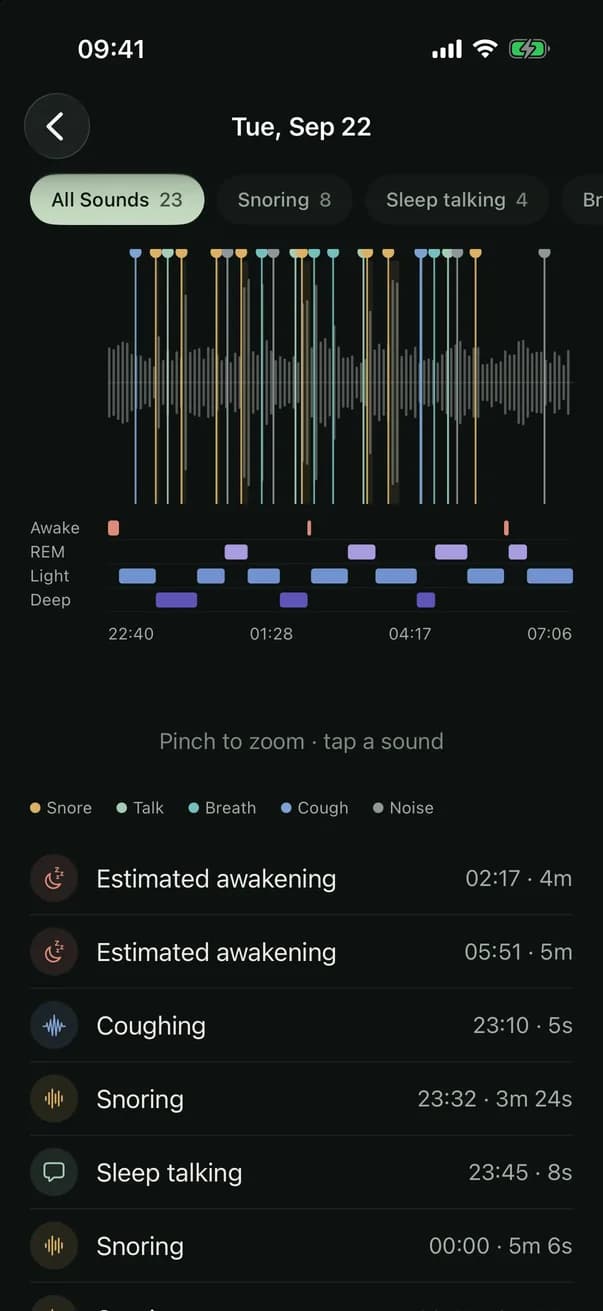
Every snore, word and cough in its place on the night's timeline, ready to play.
Notice what changes
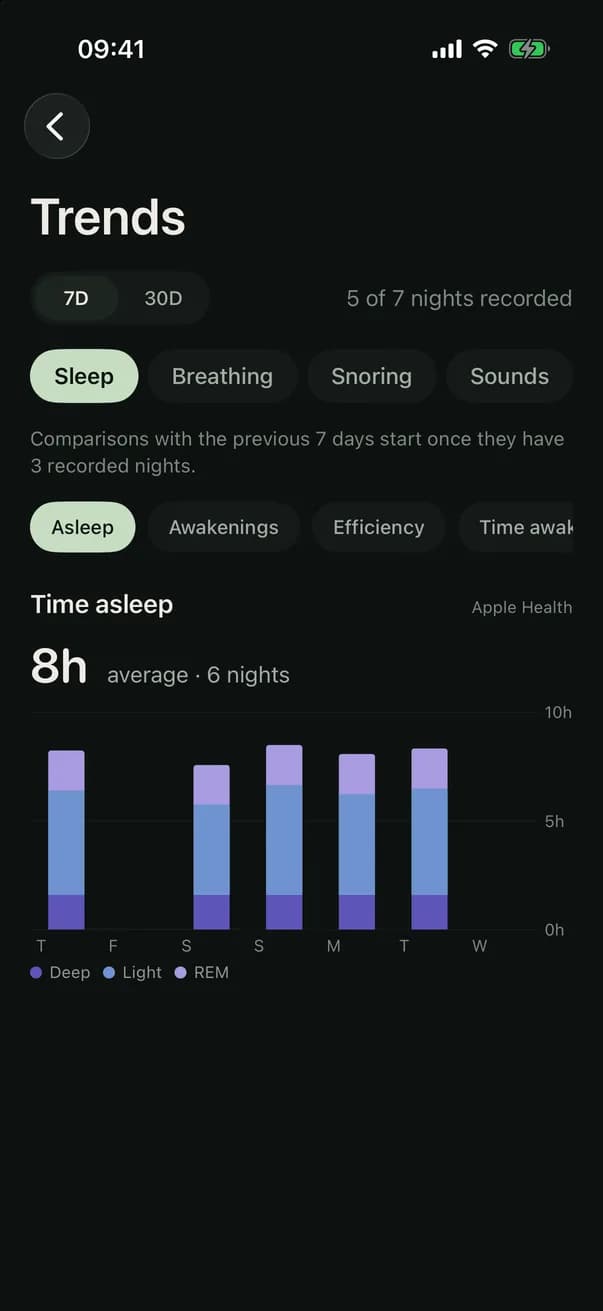
Compare nights over 7 or 30 days, and see which ones go with louder nights.
Sounds
Hear the moments that matter
Snorezy finds snoring, sleep talking, coughing, breathing sounds and other noises in the night, and keeps each moment as a clip. The report leads with the loudest snore, the longest talk and the busiest stretch, so you hear the night in a minute rather than eight hours.
What Snorezy hears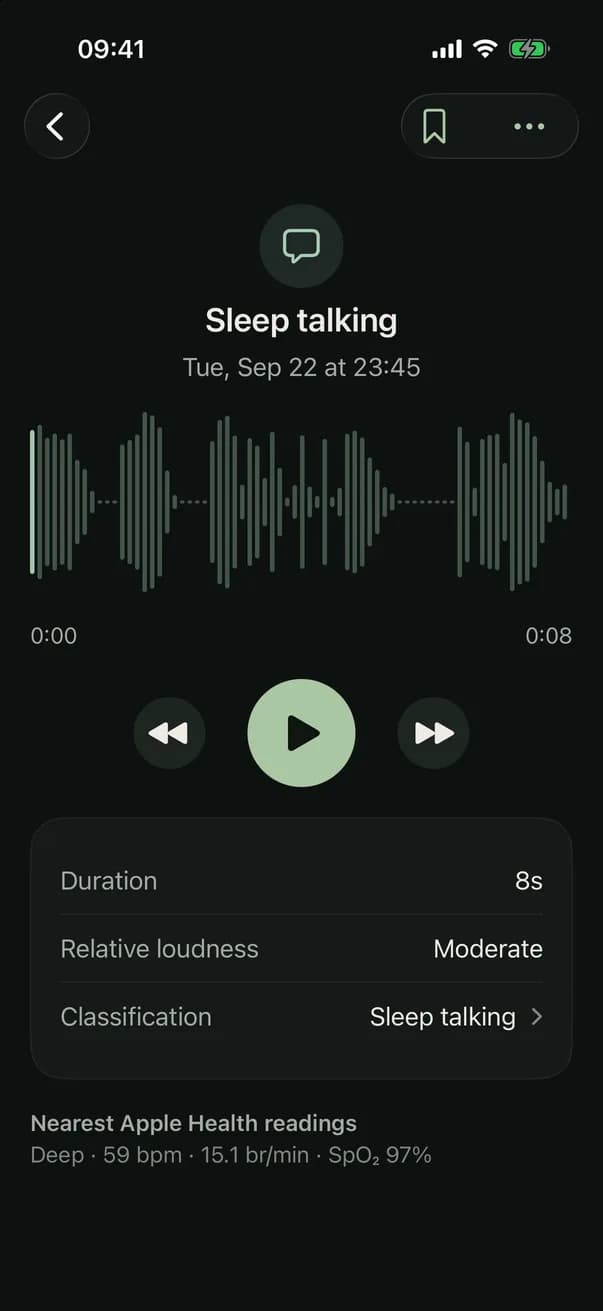
Morning report
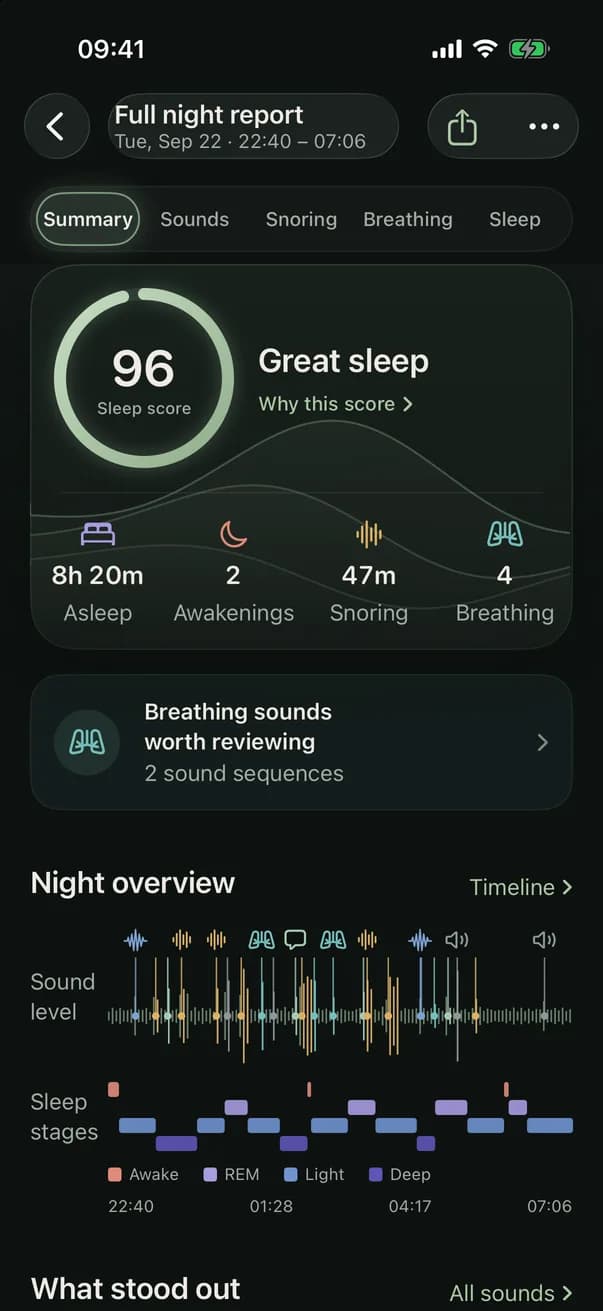
The full story of your night
One report with everything: a sleep score you can see inside, time asleep, awakenings, snoring and breathing sounds, and what stood out. Tabs for Sounds, Snoring, Breathing and Sleep when you want the detail.
How the sleep score worksApple Health
Sleep context, without the guesswork
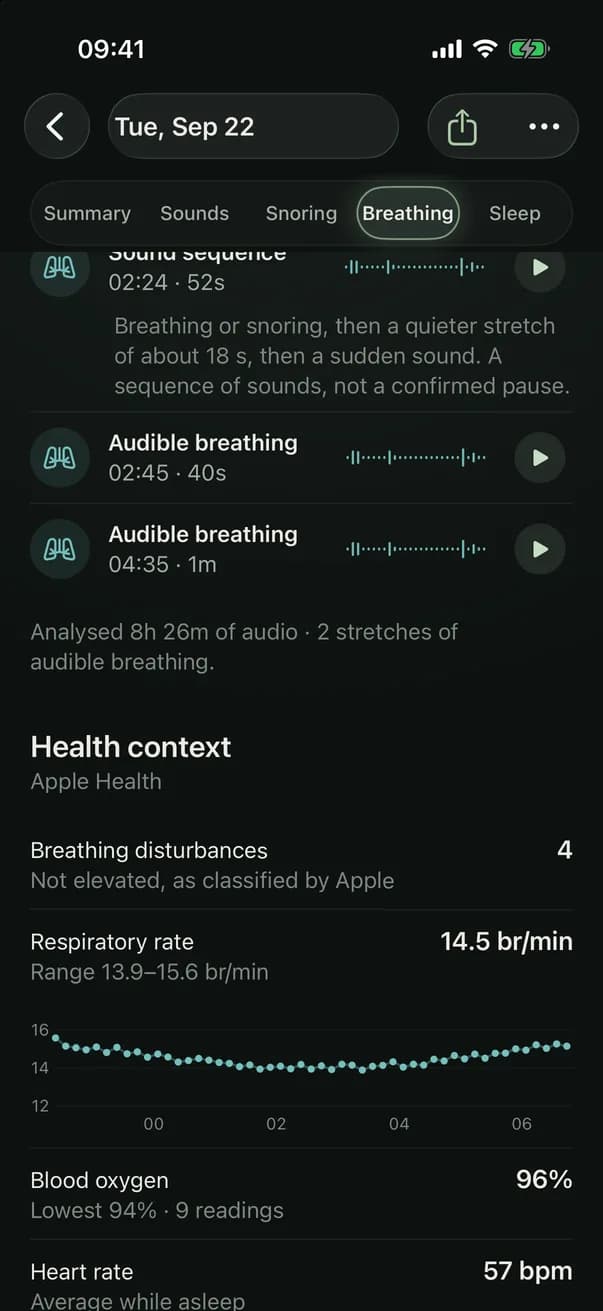
Connect Apple Health and your sleep stages, awakenings, heart rate, respiratory rate and blood oxygen appear next to the night's sounds. Every figure says where it came from: the microphone, Apple Health, or you.
Sleep stages, explained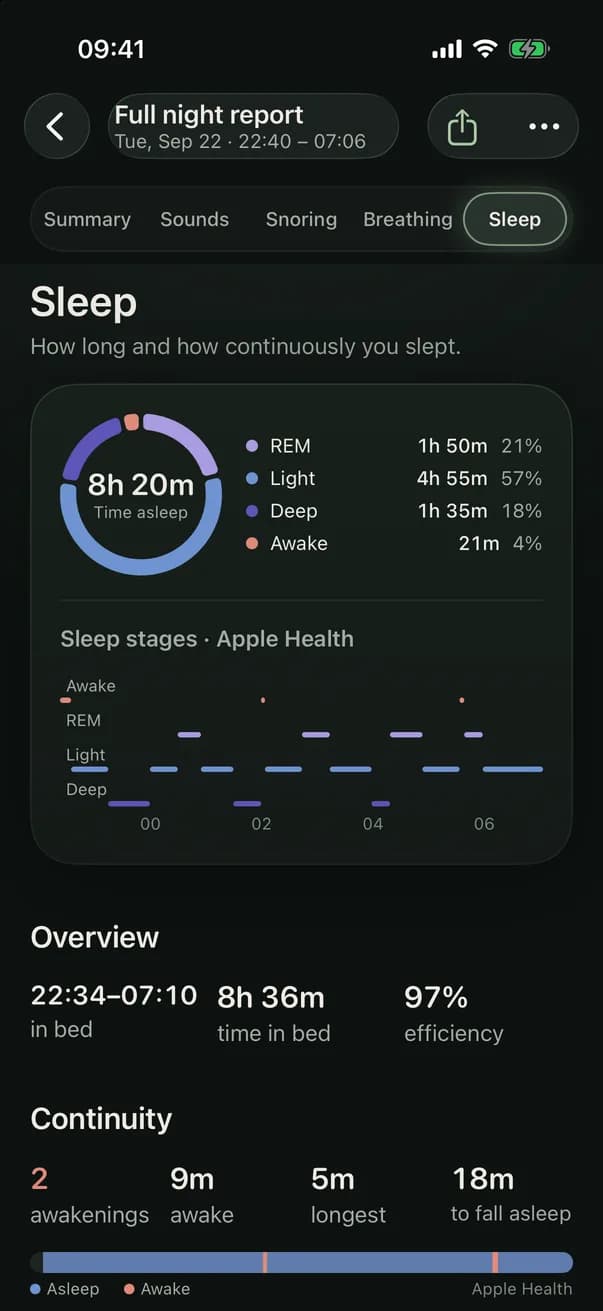
Trends
Patterns over time
Note what was different before bed: sleep position, a cold, alcohol, a late meal, a nasal strip. After a few nights Snorezy compares them, and tells you how many nights each comparison rests on. A pattern, not a cause.
Why do I snore?Sleep sounds
White, pink and brown noise
Generated on your iPhone, offline, looping without a seam, with a sleep timer that fades out. Try all three on our noise page.
Hear the difference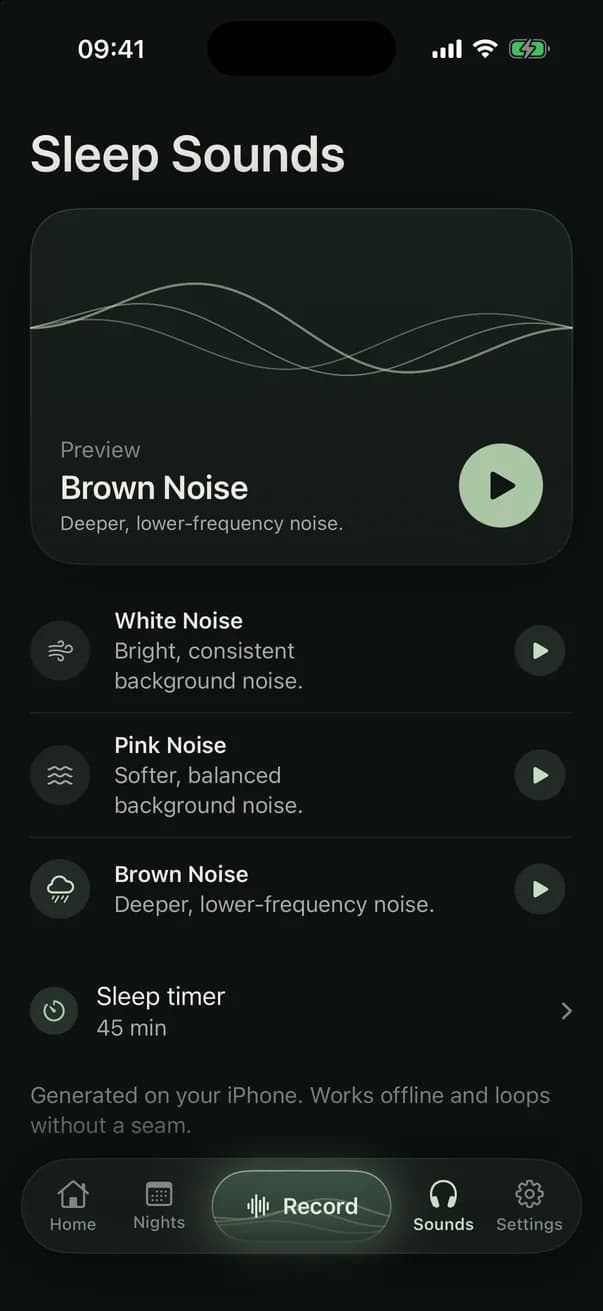
Breathing sounds
Worth a listen. Not a diagnosis.
Snorezy marks breathing-related sounds to review: gasp-like sounds, audible breathing, and sequences where snoring goes quiet and ends in a sudden sound. Each is kept with the minute before it, so you can hear the whole moment, or play it to a doctor.
It gives counts and clips, never a severity or a risk score, because a recording can't confirm or rule out sleep apnea. Only a sleep test can.
Private by design
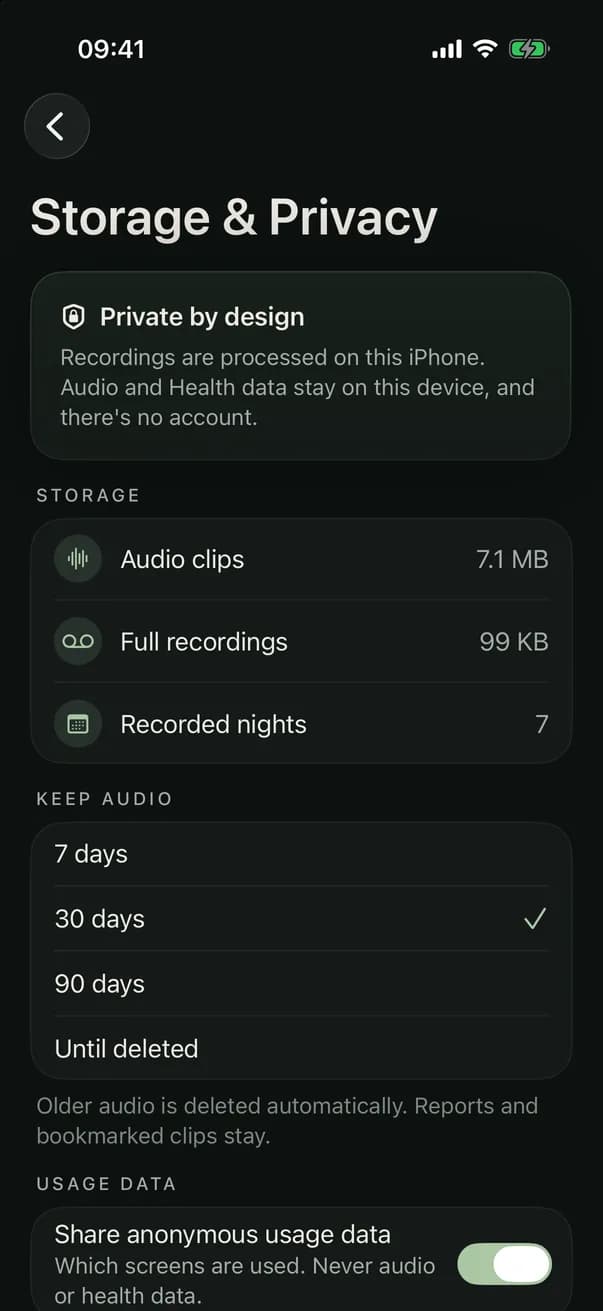
- Sound is analysed on your iPhone. Your night recordings aren't uploaded to our servers.
- Audio recordings are excluded from iCloud backups.
- No account, no sign-up, no email.
- You choose how long audio is kept: 7, 30 or 90 days, or until you delete it.
- Anonymous usage data never includes audio, what you write or Apple Health values, and has an off switch.
Sleep guides
Understand your sleep
Questions
Do I need an Apple Watch?
No. Snorezy records and analyses sound with your iPhone alone. Sleep stages, awakenings and the sleep score come from Apple Health, so they need a device that writes sleep data there, such as an Apple Watch.
Can Snorezy tell me if I have sleep apnea?
No. Snorezy can't diagnose sleep apnea or rule it out. It shows breathing-related sounds to review, which can be useful to play to a doctor. See can an app detect sleep apnea.
Are my recordings uploaded?
No. Sound is analysed on your iPhone and recordings aren't uploaded to our servers. There's no account. Audio is kept for 7, 30 or 90 days or until you delete it, whichever you choose. See how it works.
What's free?
Anyone can record every night and see each night's sleep score and duration. The full report, the sounds, trends and sleep sounds are part of Snorezy Premium.
Which iPhones does it work on?
iPhones running iOS 17.6 or later.